AI memories
As you chat with Flo, it automatically remembers the things that matter: facts about you, your preferences, your goals, and your relationships. These memories are what make Flo's answers feel personal — it can factor in that you prefer morning workouts or that Lisa is your design lead without you repeating yourself every time.
How memories work
- Memories are created automatically from your conversations — you can also ask Flo directly to remember (or forget) something
- Each memory has a category, such as Preference, Goal, Fact, Relationship, Habit, Skill, or Insight
- Each memory has an importance score out of 100. Memories that keep proving useful grow in importance, while ones that never come up gradually fade
- A memory's source shows where it came from — created at your request, or inferred by Flo from context
The AI Memories page
Open AI Memories from the sidebar to see everything Flo has remembered. Each card shows the memory's category, its content, an importance bar, keywords, when it was created, and how often it has been accessed.
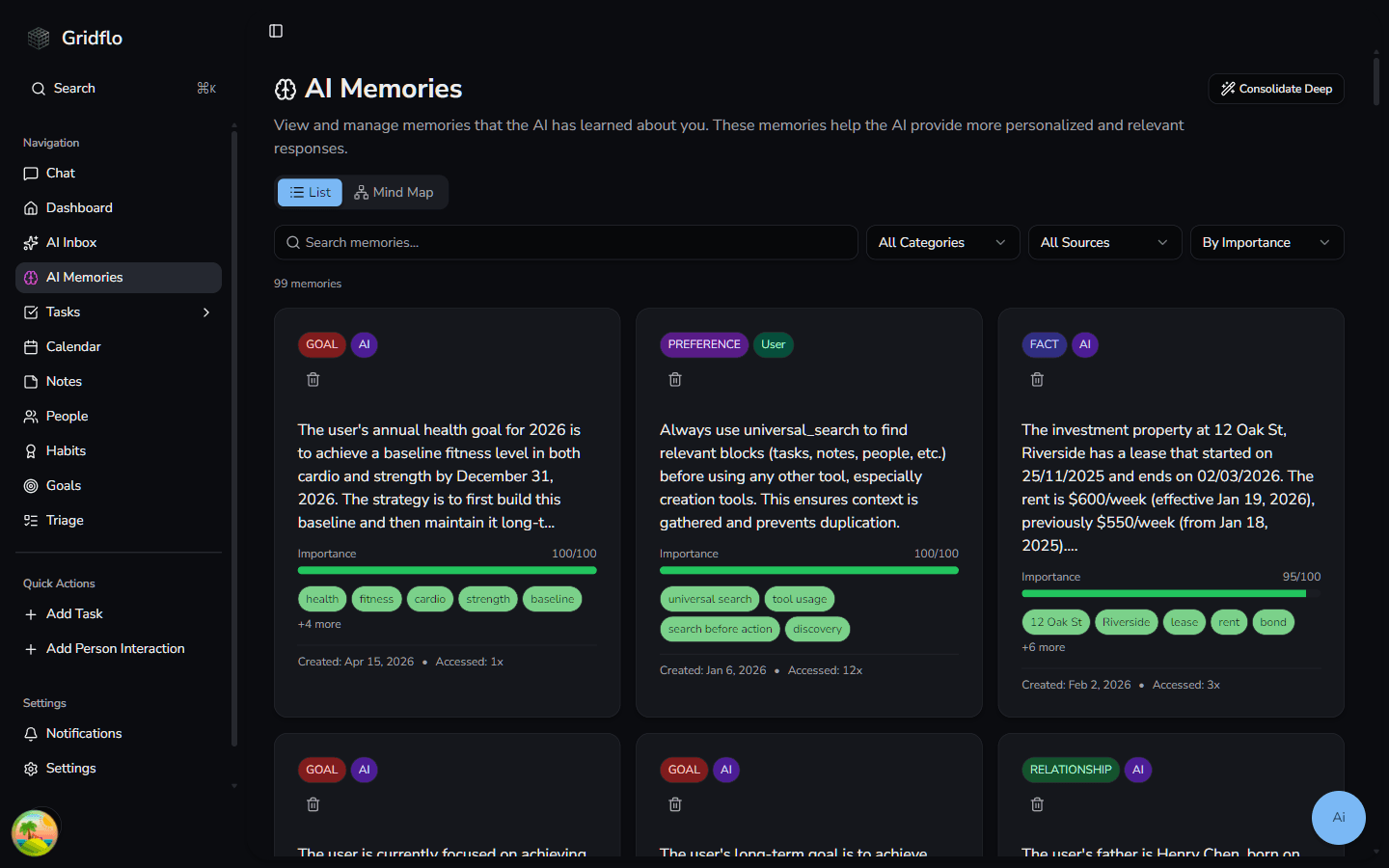
To find a specific memory:
- Use the "Search memories..." box to search by content or keyword
- Filter by category with the All Categories dropdown
- Filter by source with the All Sources dropdown
- Sort with By Importance, By Date Created, or By Last Accessed
Deleting a memory
You're in control of what Flo remembers. To remove a memory, click the trash icon on its card and confirm. Deleted memories are gone for good and won't influence future conversations. You can also just tell Flo in chat to forget something.
Consolidate Deep
The Consolidate Deep button asks Flo to tidy up your memory bank — merging near-duplicate memories and connecting related ones. Gridflo also runs this housekeeping on its own from time to time as you use chat.
Curious what else Flo does with this context? See What Flo can do.