Adding people
People in Gridflo is a lightweight address book built for relationships, not just contact details. Every person gets a profile you can link to your tasks and notes, plus an activity timeline for keeping in touch.
Create a person
- Open People from the sidebar
- Click + New Person
- Type their full name — the profile opens right away
- Fill in as much or as little as you like
There's no save button. Changes save automatically, and a small "Saved" indicator confirms it.
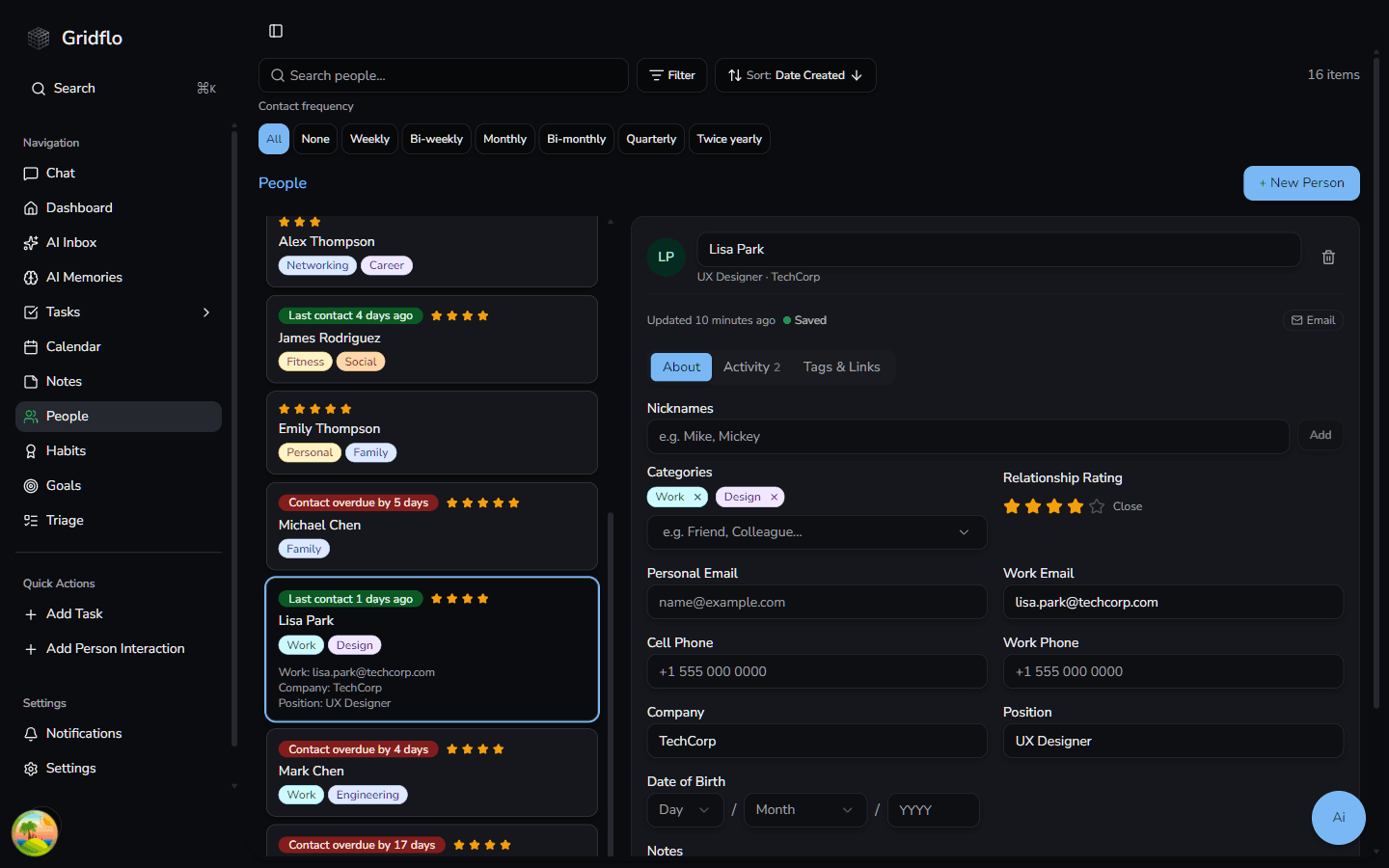
The profile fields
The About tab covers the essentials:
- Nicknames — add one or more (e.g. Mike, Mickey) so you can find people by whatever you actually call them
- Categories — free-form labels like Friend or Colleague. Type to search existing categories or create new ones
- Relationship Rating — a 1–5 star rating for how close the relationship is
- Personal Email and Work Email
- Cell Phone and Work Phone
- Company and Position — shown under their name at the top of the profile
- Date of Birth — the year is optional, so you can save just the month and day for birthday reminders without guessing someone's age
- Notes — a freeform space for who they are, how you met, and things to remember
Once you've added an email or phone number, quick Email and Call buttons appear at the top of the profile so you can reach out in one click.
Next steps
To make sure you actually stay in touch, set a contact frequency and start logging interactions.